Who Unfollowed Me on Instagram? 3 Free Ways to Check (2026)
Wondering who unfollowed me on Instagram? Instagram doesn’t send a notification or keep a log when someone unfollows you, and there’s no built-in button for it. You can still find out with three methods: Instagram’s official data download (most reliable), a free manual follower-list comparison, or a third-party tracker app. Below is how each one works, what it can and can’t tell you, and which to pick.
On This Page
Does Instagram tell you who unfollowed you?
No. Instagram has never shipped a native “who unfollowed me” feature, and there’s no hidden setting that turns one on. The app only ever shows your current follower count and list, not a history of who left it.
That’s a deliberate product choice, not a bug. Meta has kept unfollow activity silent since Instagram launched, the same way it keeps “who viewed your profile” silent. Anyone claiming an official in-app way to see this is describing a third-party tool, not an Instagram feature.
This is also why our Instagram story viewer exists as a separate tool in the first place — Instagram deliberately keeps several kinds of activity private by default, and unfollow history is one of them.
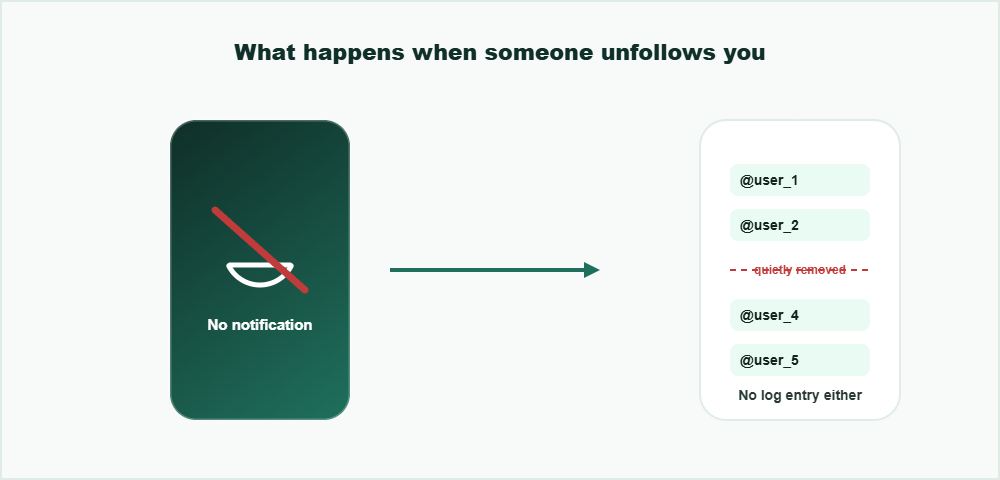
No push notification, no activity log entry — an unfollow is simply a list becoming one name shorter.
Method 1: Instagram’s official data download (most reliable)
Instagram’s Accounts Center lets you request a full export of your account data, including your followers and following lists with timestamps. It’s the only method that comes directly from Instagram itself, so there’s no third party involved at any point. Missing names on your own story? Read why you can’t see who viewed your Instagram story.
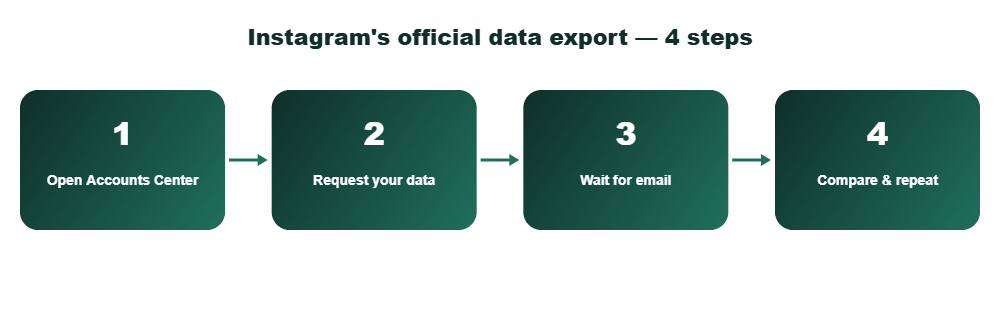
Open Accounts Center
In the Instagram app, go to your profile, tap the menu icon, then Accounts Center at the top of Settings.
Request “Download Your Information”
Under Your Information and Permissions, choose Download Your Information, select your account, and request “Some of your information” limited to Followers and Following to keep the file small.
Wait for the export email
Instagram emails a download link once the file is ready, usually within a few hours for a followers-only request.
Repeat later and compare
A single export only shows your current list. Request a second export a week or two later, then compare the two follower files to see exactly who left. To see exactly what Instagram exports about your account, use Instagram’s official data download.
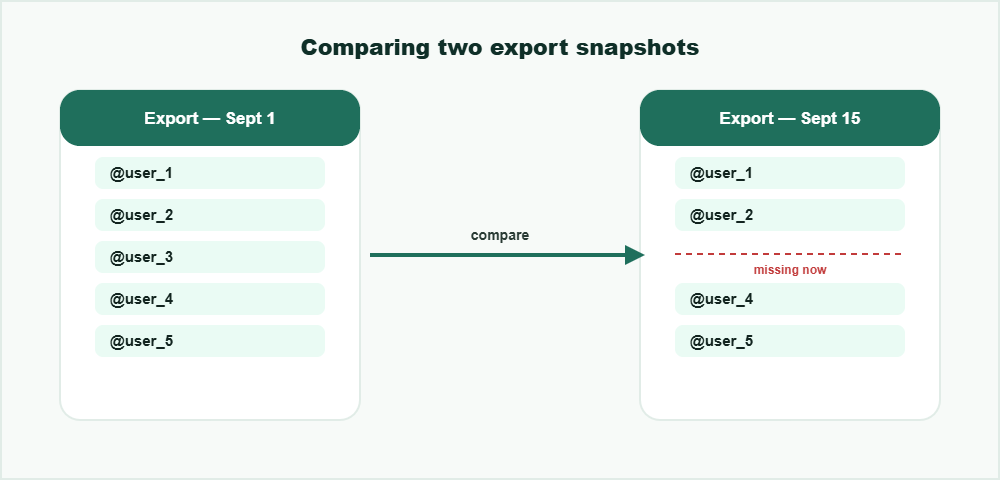
Same idea as the manual method below, just backed by Instagram’s own exported file instead of a screenshot.
Method 2: Manual comparison (no app needed)
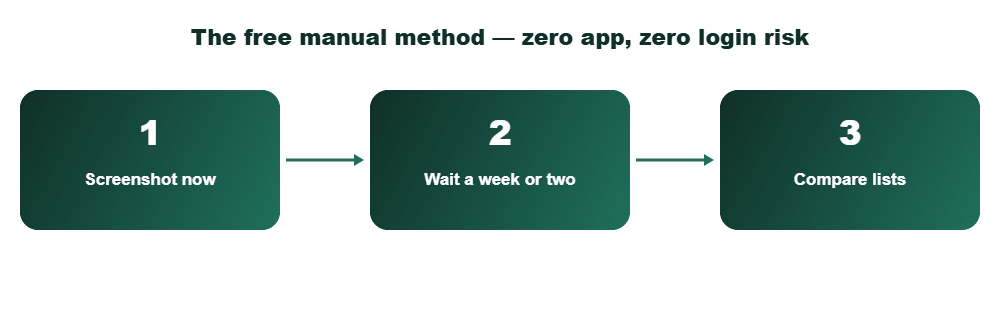
Export or screenshot your current followers list
Open your profile, tap Followers, and scroll through it once. A simple screenshot of the full list works fine for smaller accounts.
Wait, then pull the list again
A week or two later, repeat the same screenshot process. The gap between the two lists is your real answer.
Cross-reference the two lists
Any username in the first list but missing from the second either unfollowed you or deactivated their account. For under a few hundred followers, this is genuinely faster than installing anything.
What you can and can’t do
You can
- Manually compare two follower snapshots for free, with zero login risk
- See your current followers and following counts at any time
- Use a reputable tracker app if you accept the trade-offs below
- Tell a deactivated account apart from a real unfollow by checking if their profile still loads
You can’t
- Get a real-time push notification the moment someone unfollows you — Instagram doesn’t offer this to anyone
- See historical unfollow data further back than your own saved snapshots
- Trust an app that asks for your actual Instagram password instead of official login
Method 3: Third-party unfollower apps and what they actually do
Apps that promise instant unfollower alerts work by periodically pulling your follower list through Instagram’s API and diffing it against the last pull, which is the same manual method above, just automated. That part is legitimate.
The risk is entirely in how they get access. A tracker that asks you to type your real Instagram username and password into its own login form, rather than Instagram’s official OAuth screen, can capture and store that password. Instagram’s own account security guidance specifically warns against entering your credentials into any site or app that isn’t Instagram itself.
Before installing one, check for three things: does it use Instagram’s official login screen (not its own form), does it ask for permissions beyond reading your follower list, and does it have a visible privacy policy that says what it stores. If any of those fail, the manual method above is the safer way to see who unfollowed me on Instagram. Tools that promise a private account viewer rarely deliver what they claim.
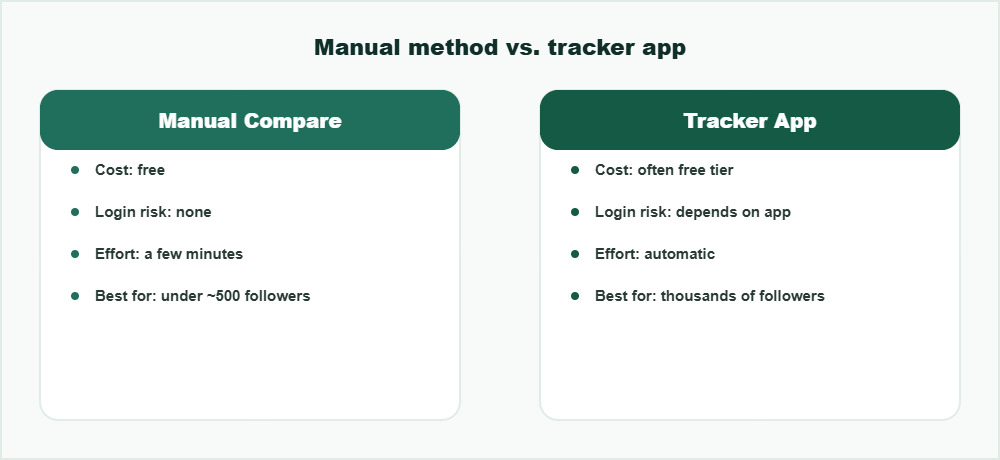
Automated tracking saves time — it just moves the cost from your time to your trust in the app.
How this compares to other unfollower guides
Most competing guides jump straight to recommending a specific app without explaining what’s happening technically, or without flagging the credential risk at all. A few cover the manual method but bury it below several paid app recommendations.
The honest version is simpler: for a few hundred followers, manual comparison costs nothing and risks nothing. Past a few thousand followers, an app becomes genuinely more practical — just pick one that authenticates through Instagram’s own login screen, never its own password field. Either way, this is the most complete answer you’ll find to who unfollowed me on Instagram without resorting to guesswork. Thinking about an unfollower tracker app? Read this first.
Which method should you actually use?
For a one-time check, the manual compare is the fastest path and involves no waiting. For a more precise, historically accurate answer, Instagram’s own data export is worth the short wait since it comes with no privacy trade-off at all. An app only makes sense once you’re checking often enough that doing it manually becomes annoying, and even then, only with one that uses Instagram’s official login.
Frequently Asked Questions
Does Instagram notify you when someone unfollows you?
No. Instagram has no notification, badge, or log for unfollow activity. The only way to know is by comparing your follower list at two different points in time.
Is it safe to use an Instagram unfollower tracker app?
It depends entirely on how the app logs you in. One that uses Instagram’s official login screen is generally safe; one that asks you to type your password into its own form is a real credential risk and should be avoided.
Can I see who unfollowed me on Instagram for free without any app?
Yes. Screenshot or note your followers list now, then compare it against the same list a week or two later. Anyone missing from the newer list unfollowed you or deactivated their account.
How do I know if someone unfollowed me versus deactivated their account?
Search their username directly. If the profile still loads normally, they unfollowed you. If Instagram shows “user not found” or an inactive-account message, they deactivated or deleted their account instead.
Do unfollower tracker apps work by reading my private messages?
A legitimate tracker only needs read access to your public follower list, not your messages. If an app requests DM or messaging permissions to track unfollows, that’s an unnecessary permission and a red flag.
How long does Instagram’s data export take?
A request limited to just your Followers and Following data usually arrives within a few hours. A full account export covering everything can take up to 48 hours.
Does the Instagram data export show who unfollowed me directly?
No single export shows unfollow history by itself. You need to request two exports at different times and compare the follower lists yourself to see who’s missing.
Is requesting my Instagram data safe?
Yes. It’s a built-in Instagram feature under Accounts Center, so no third party is involved and no extra login credentials are ever shared.
Can I request just my followers data instead of my whole account?
Yes. Choosing “Some of your information” instead of “All available information” lets you select only Followers and Following, which makes the export process much faster.
Want to see someone’s stories anonymously too?