Instagram Unfollower Tracker App — Do They Actually Work?
Short answer: a legitimate instagram unfollower tracker app can work, but it needs your login to compare follower snapshots over time — there’s no way around that requirement, which is exactly where the risk comes in.
Instagram unfollower tracker app: the short answer
An instagram unfollower tracker app works by taking a snapshot of your follower list and comparing it to a later snapshot, flagging anyone missing as an unfollow. Instagram doesn’t provide this comparison natively, so any app offering it needs ongoing access to your account data to keep the snapshots current. That access requirement is the single most important thing to understand before connecting any account to one of these apps. Tools that promise a private account viewer rarely deliver what they claim.
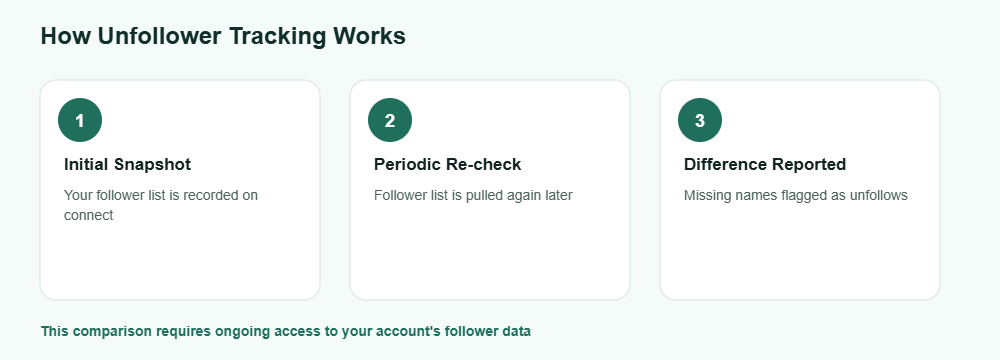
How they actually work
Initial snapshot
The app records your current follower list the first time you connect your account to it.
Periodic re-checks
It periodically pulls your follower list again and compares it against the earlier snapshot to spot changes.
Reporting the difference
Anyone who appears in the old snapshot but not the new one gets flagged as having unfollowed you, along with a timestamp of when the change was detected. To see exactly what Instagram exports about your account, use Instagram’s official data download.
This is a straightforward comparison process, and it’s the same basic method every instagram unfollower tracker app uses under the hood — the differences between apps come down to how they handle your login and how often they refresh the data. A shorter gap between checks generally gives a more accurate picture, since brief follows and unfollows between snapshots can otherwise slip through unnoticed. Missing names on your own story? Read why you can’t see who viewed your Instagram story.
What to check before using one
Since this feature requires account access, it’s worth being selective about which app you trust with it.
Good signs
- Clear privacy policy explaining data use
- Established reviews and a real developer
- Uses official login flows, not a plain password form
Red flags
- Asks for your password directly in its own form
- No privacy policy or unclear data handling
- Promises features Instagram doesn’t actually support
A trustworthy instagram unfollower tracker app should be upfront about exactly what data it stores and for how long — if that information is missing or vague, treat it as a reason to look elsewhere rather than assuming the best. Taking a few minutes to read the privacy policy before connecting your account is a small step that can prevent a much bigger problem down the line. Not sure about the rules? Read is it legal to view stories anonymously.
Frequently Asked Questions
Can an instagram unfollower tracker app work without any account access?
No, comparing follower snapshots over time requires ongoing access to your follower list, which means connecting your account in some form.
Is it safe to give an app my Instagram password directly?
No, a trustworthy app should use Instagram’s official login flow rather than asking you to type your password into its own form.
Does Instagram notify me directly when someone unfollows?
No, Instagram doesn’t send unfollow notifications, which is exactly the gap these tracker apps are built to fill.
Why do some tracker apps show different results than others?
Differences usually come from how often each app refreshes its snapshot — a longer gap between checks can miss short-term follows and unfollows.
Can I revoke an app’s access after I’m done using it?
Yes, if it connected through Instagram’s official authorization flow, you can remove its access from your account’s connected apps settings.
Want to check public activity without connecting an app?