Instagram Incognito Mode — Does It Actually Exist?
Short answer: no. Instagram incognito mode isn’t a real, built-in setting — Instagram has never shipped a toggle that lets you browse the app invisibly. But there are legitimate ways to view public stories without your visit being logged. We built InstaPVStory around exactly that gap.
On This Page
Does instagram incognito mode exist: the short answer
No — there’s no setting inside the official Instagram app called incognito mode, private browsing, or anything similar. If you view someone’s story while logged in, your username appears in their viewer list every time, with no exception and no hidden toggle to change that. For general advice on spotting fake apps and scams, the FTC’s consumer advice is a good independent reference.
Why Instagram doesn’t offer this
It would undermine creator and business analytics
Accurate view counts and viewer identity matter to accounts that rely on story metrics. An opt-out toggle would make that data unreliable for everyone. Also wondering who left your follower list? See who unfollowed me on Instagram.
Transparency is part of the platform’s design
Instagram has consistently kept story views tied to your logged-in identity — there’s no precedent of them offering anonymity as a built-in account feature.
The closest official option is a full opt-out, not incognito
Instagram lets you hide your story from specific people entirely, but that’s about controlling who can see your content, not about you viewing others invisibly. If you also want to keep a copy of what you watched, an Instagram story downloader is the tool for that.
Given all that, the honest answer to whether instagram incognito mode exists inside the app itself is simply no — and it’s unlikely to change, since it runs against the platform’s own incentives. Every workaround you’ll find online is either a browser-based tool operating outside the app entirely, or a claim that doesn’t hold up once you actually test it. Be careful with stalking apps, because many of them are scams.
What you can and can’t do instead
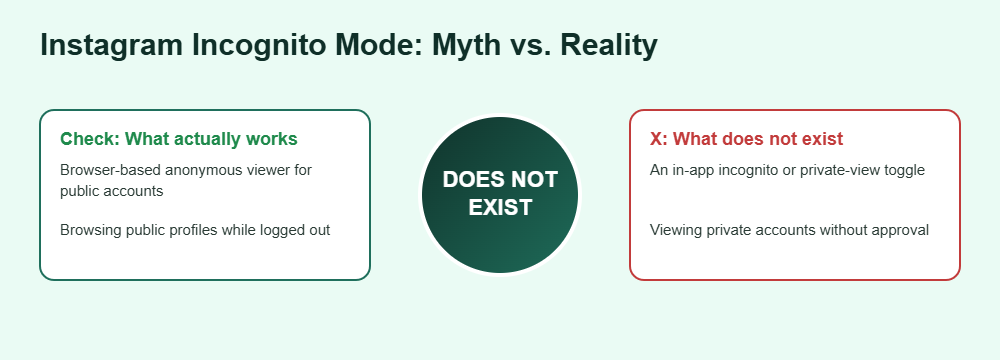
Since instagram incognito mode isn’t a real setting, the practical question becomes what actually gets you a similar result. The line below is what separates a real workaround from a wasted download, and it comes down to one distinction: whether the tool operates on your logged-in account, or entirely outside it. To check your own numbers, see story analytics for what Instagram actually shows.
Actually works
- Using a browser-based anonymous story viewer for public accounts
- Browsing public profiles logged out of your account
- Checking a public username without ever opening the app
Doesn’t exist / won’t work
- An in-app toggle labeled “incognito” or “private view”
- Viewing a private account’s story without them knowing
- Third-party apps claiming to hide your view inside the real app
Frequently Asked Questions
Is there a hidden setting for instagram incognito mode?
No. There’s no hidden or experimental setting anywhere in the app that enables anonymous browsing while logged in. Every story view is tied to your account.
Will Instagram ever add a real incognito mode?
There’s no indication of this. Since view transparency supports creator analytics and platform trust, it runs against Instagram’s own incentives to add it.
Can a third-party app add instagram incognito mode to my account?
No legitimate app can modify how the official Instagram app reports views on your logged-in account. Any tool claiming to do this either doesn’t work or requires your credentials, which is a major red flag.
What’s the closest legitimate alternative?
A browser-based anonymous story viewer that works from a public username, without requiring you to log in at all. That’s the only approach that doesn’t touch your own account.
Does this apply to private accounts too?
No. Anonymous viewing only works on public accounts. There’s no legitimate way to view a private account’s story without the owner approving your follow request.
Want the closest thing to real anonymous browsing?