Instagram Profile Picture Downloader — View & Save HD DP
An Instagram profile picture downloader pulls the full-size version of someone’s DP straight from Instagram’s own servers. No more squinting at the tiny 150×150 circle the app shows you. It works instantly for public accounts. No login, no app install, and no username or password from you is ever needed.
On This Page
Try the Instagram profile picture downloader
Paste a public username, get the full-resolution photo in a few seconds — nothing is stored, and the account you look up is never notified.
How Instagram stores profile pictures
When someone uploads a profile photo, Instagram keeps more than one copy of it. The round thumbnail shown in the app and on the web is a heavily compressed 150×150px crop. That’s all a feed or a comment thread really needs.
A second, much larger copy sits on Instagram’s content delivery network. It’s normally only pulled up when you tap into someone’s full profile view. Only need the sound? Try a Reels audio downloader instead.
A profile picture downloader doesn’t hack anything or bypass a login wall. It reads the same public profile data your browser already receives the moment you visit a public account, then points you to the larger file instead of the cropped thumbnail. If you view-source a public Instagram profile page yourself, that larger image URL is sitting right there in the page data. The tool just saves you from doing that manually. The same public-data principle powers our Instagram story downloader, just applied to a different part of a profile.
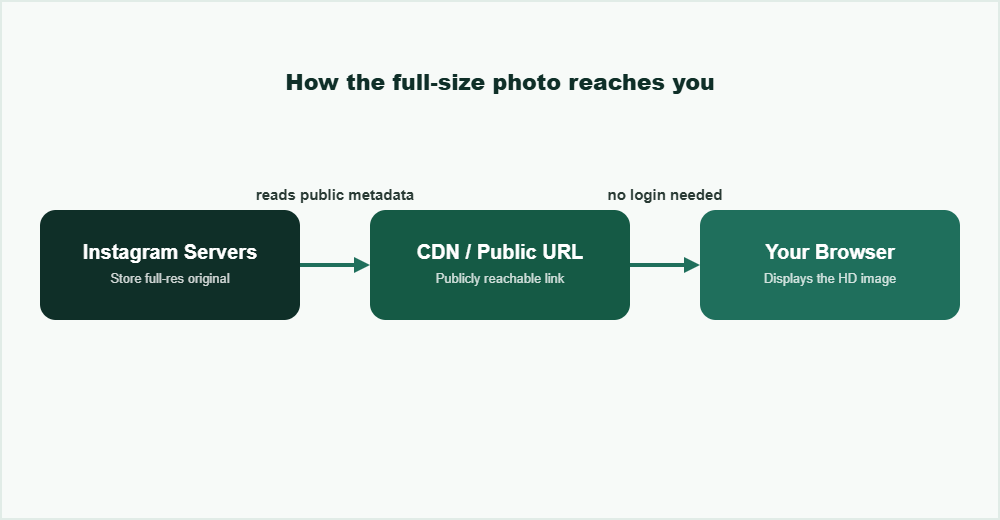
The same public CDN link your browser already loads — a downloader just surfaces it.
Step-by-step: viewing and saving an HD profile picture
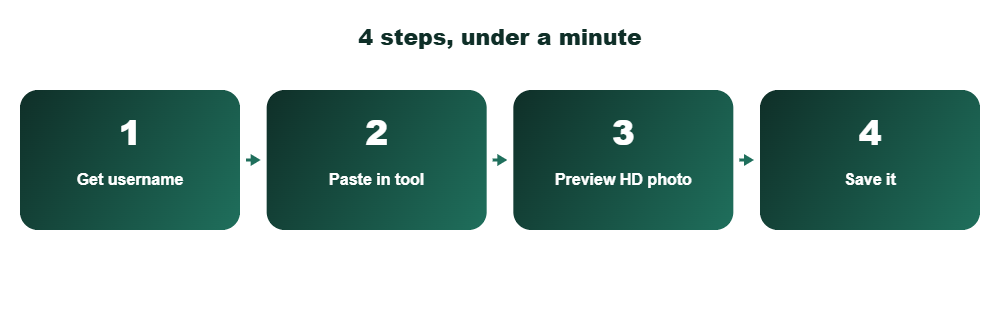
Get the exact username
Copy it from the profile URL (instagram.com/username) rather than typing from memory. Instagram usernames are case-insensitive, but a stray character will pull up the wrong account or nothing at all.
Paste it into the tool above
No login prompt should appear for a public account. If a tool asks you to sign in to Instagram before showing a public DP, that’s a red flag, not a normal step. To keep highlights permanently, try a highlights downloader.
Preview the full-size image
You’ll see the picture rendered larger than the app’s thumbnail — usually 320×320px, sometimes higher for business or creator accounts.
Save it
Right-click → Save Image, or use the on-screen download button. On mobile, press and hold the image and choose “Save to Photos”.
What you can and can’t do
You can
- View any public account’s DP at full resolution
- Save it for personal reference — e.g. confirming you’re following the right account
- Do this with no Instagram account of your own
- Do it anonymously — the profile owner isn’t notified
You can’t
- Pull a private account’s photo unless you’re already an approved follower logged into that account
- Get a resolution higher than what Instagram itself stored — no tool can “upscale” past the original
- Use the image to impersonate the account owner without breaking Instagram’s terms
If a site claims it can pull a private account’s DP without you logging in as an approved follower, be skeptical. That’s not a technical shortcut. It’s either broken or phishing for your Instagram credentials. Instagram’s own privacy and account settings guide explains exactly what followers versus non-followers can see.
Quality: what “HD” actually means here
Worth setting expectations correctly: Instagram caps most profile pictures at 320×320px on the server, regardless of which downloader you use. A handful of business accounts with certain settings store slightly larger versions, but nothing approaches true print resolution.
“HD” in this context means the uncompressed, non-cropped original Instagram kept, not a magically upscaled 4K image. Any tool claiming 1080p+ DP downloads for a normal personal account is either lying or handing you an AI-upscaled, blurrier-on-close-inspection version of the same 320px source. For short videos, an Instagram Reels downloader saves them without a watermark.
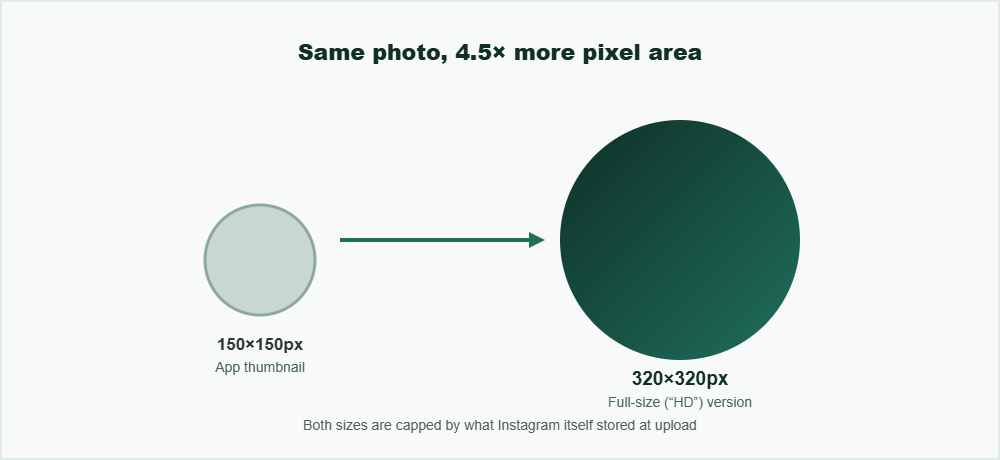
150×150px app thumbnail vs. the 320×320px version a downloader retrieves — both come from the same upload.
How this compares to other profile picture tools
Most competing “DP downloader” sites fall into two camps. The first are ad-heavy pages that make you click through two or three interstitial pages before showing the image, often bundled with browser-notification prompts you didn’t ask for. The second are tools that genuinely work but stop at the 320px thumbnail and market it as “HD” — technically true, since it’s larger than the app’s crop, but misleading if you expect something bigger. Only save content you own or have permission to reuse, as explained by the U.S. Copyright Office.
A profile picture downloader worth using should skip the login wall for public accounts, skip the multi-click ad funnel, and tell you plainly what resolution you’re actually getting instead of overselling it. If you’re also trying to view a public account’s stories rather than just their DP, the same no-login approach applies. See our guide on viewing Instagram stories anonymously.
Frequently Asked Questions
Can I download the profile picture of a private Instagram account?
No. Full-resolution profile picture data for private accounts isn’t exposed to non-followers, so no legitimate downloader can retrieve it unless you’re logged in and already following that account.
Is it legal to save someone’s Instagram profile picture?
Viewing and saving a publicly visible profile picture for personal, non-commercial use generally isn’t illegal. Using it to impersonate someone, harass them, or pass it off as your own work can violate both Instagram’s terms and, depending on the context, the law.
Do I need to log in to use a profile picture downloader?
Not for public accounts. The image is public data anyone can already see by visiting the profile, which is exactly why no-login tools can display it.
Why does the saved image still look slightly soft or blurry?
Instagram compresses and caps profile picture resolution at upload time, so even the largest version available is limited by what Instagram itself stored, not by the downloader tool you’re using.
Does the account owner get notified when I view or download their DP?
No. Viewing a public profile picture through a downloader tool works the same as viewing it in a browser. It doesn’t trigger a notification to the account owner.
View any public profile picture in HD, in seconds.