Instagram Highlights Downloader — Save Highlights in Seconds
Looking for an Instagram Highlights downloader? Highlights disappear the moment an account deletes them or goes private, so saving one you actually need can’t wait. Here’s how to download any public Highlight’s photos and videos, plus the native option if it’s your own account.
On This Page
Instagram Highlights downloader: the fastest way to save a public Highlight
For a Highlight on an account you don’t manage, the most reliable option is a dedicated Instagram Highlights downloader site: paste the public profile link, open the Highlight, and save the photo or video slide you need. There’s no official Instagram feature that does this for anyone else’s content, so a downloader tool is the only practical route. Need a larger avatar? Use a profile picture downloader to view it in HD.
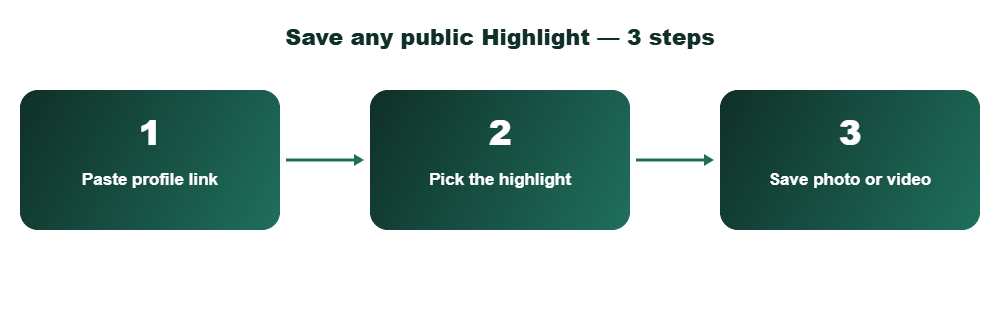
Paste the profile link
Copy the username or profile URL of the public account whose Highlight you want to save.
Pick the Highlight
Their Highlight covers load automatically. Tap the one you want to open its individual story slides.
Save each photo or video
Download slides individually in their original resolution, straight to your device.
Downloading your own Highlights (the native way)
If the Highlight belongs to your own account, Instagram already lets you save it without any third-party tool. Open your profile, tap the Highlight, tap the three dots in the bottom right of the story, and choose Save Photo or Save Video. Each slide saves one at a time, directly to your camera roll.
This only works for Highlights you own. For anyone else’s public Highlight, an Instagram Highlights downloader is the faster path since Instagram doesn’t offer a bulk-save option even to account owners. Only need the sound? Try a Reels audio downloader instead.
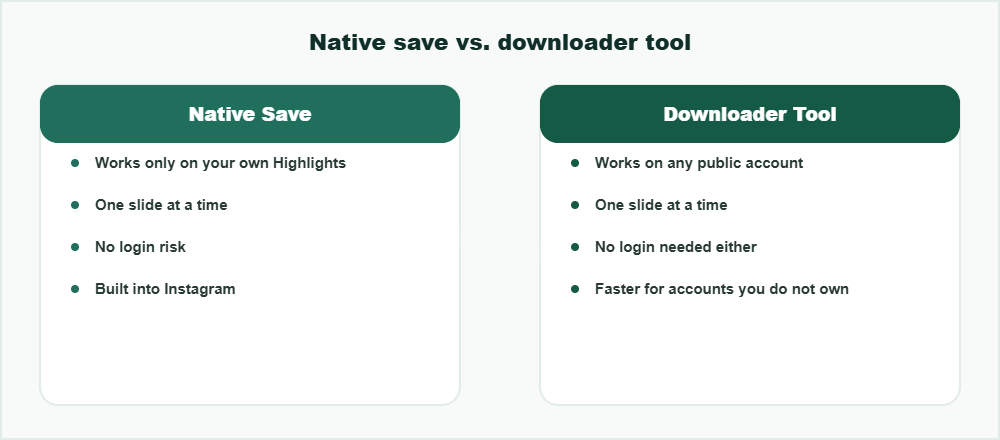
What you can and can’t do
You can
- Save individual photos and videos from any public account’s Highlights
- Save your own Highlights natively through Instagram’s built-in menu
- Download slides in their original quality, without re-compression
- Do this from any device with a browser — no app install required
You can’t
- Download Highlights from a private account you don’t follow
- Bulk-download an entire Highlight as one file — slides save individually
- Recover a Highlight the account has already deleted
A note on quality and formats
Photos download as standard JPG or PNG files and videos as MP4, matching whatever the original poster uploaded. There’s no forced re-encoding step, so a slide that was originally 1080p stays 1080p rather than getting compressed down on the way out. For short videos, an Instagram Reels downloader saves them without a watermark.
If you’re also trying to catch someone’s current story before it expires rather than a saved Highlight, our Instagram story viewer covers that separately, since Highlights and 24-hour stories work a little differently under the hood. Only save content you own or have permission to reuse, as explained by the U.S. Copyright Office.
Frequently Asked Questions
Can an Instagram Highlights downloader save someone else’s Highlights?
Yes, as long as their account is public. Private accounts require you to be an approved follower, and even then there’s no in-app download option for someone else’s content.
Does the account owner know I downloaded their Highlight?
No. Downloading a Highlight is the same as viewing it after the fact — Instagram doesn’t notify accounts when their public content is saved by someone else.
Can I save an entire Highlight at once instead of slide by slide?
Not currently. Both Instagram’s native save option and third-party tools save one photo or video at a time, since each slide is a separate media file.
Why can’t I find a Highlight I saw yesterday?
The account owner may have deleted the Highlight, removed an individual story from it, or switched their account to private. Once removed, it can’t be recovered through any downloader.
Is it legal to download public Instagram Highlights?
Saving public content for personal viewing is generally fine, but reposting or redistributing someone else’s photos or videos without permission can raise copyright and platform-policy issues.
Want to see stories anonymously too?