Instagram Stories Download — Every Method Compared (2026)
Short answer: instagram stories download options range from Instagram’s own “Save” button on your own stories to third-party sites and apps for saving public stories from other accounts — the right method depends entirely on whose story you’re trying to save.
Instagram stories download: the short answer
An instagram stories download can mean two very different things — saving your own story to your device, which Instagram supports natively, or saving someone else’s public story, which requires a separate tool since Instagram doesn’t build that option into the app. Understanding which situation applies to you is the first step before picking a method. Each approach below has its own trade-offs in convenience, quality, and what kind of account it actually works on. Only save content you own or have permission to reuse, as explained by the U.S. Copyright Office.
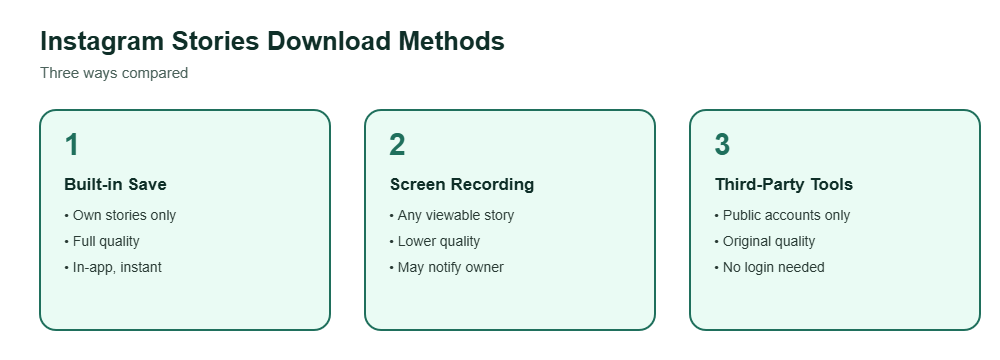
Methods compared
Instagram’s built-in Save
Works only on your own stories — tap the three dots on a story you posted and choose Save to your device.
Screen recording
Works on any story you can view, but notifies the account owner in some cases and captures at lower quality than the original file.
Third-party download tools
Web tools and apps that fetch a public story’s original file directly, without needing to log into the account being viewed.
Each of these instagram stories download approaches trades off convenience against quality and applicability — the built-in Save only works on your own content, screen recording works everywhere but loses quality, and third-party tools generally only work on stories from public accounts. There’s no single method that covers every situation equally well, so it’s worth picking the one that matches what you’re actually trying to save rather than assuming one tool handles everything. Only need the sound? Try a Reels audio downloader instead.
What you can and can’t download
Whichever method you use, a few practical limits apply consistently across all of them.
Generally possible
- Saving your own posted stories
- Saving public stories from accounts you don’t follow
- Saving stories you’ve been tagged in
Not possible
- Downloading private-account stories without following
- Bypassing an account’s privacy setting entirely
- Saving Close Friends stories you weren’t added to
These limits exist because an instagram stories download tool can only work with content it can actually access — and access is still governed by whatever privacy setting the original account has chosen, regardless of which download method you’re using. No download tool can override a private account’s settings, so any service claiming otherwise should be treated with skepticism. To keep highlights permanently, try a highlights downloader.
It’s also worth remembering that stories disappear from Instagram after 24 hours unless the owner adds them to a highlight, so timing matters more with story downloads than it does with regular posts, which stay accessible indefinitely. For a full ranking, see how the story viewers compared side by side.
Frequently Asked Questions
Does Instagram let me download other people’s stories directly in the app?
No, the built-in Save option only works on stories you posted yourself — other people’s stories need a separate method.
Is an instagram stories download tool safe to use?
It depends on the tool — stick to ones that don’t ask for your login credentials and have clear privacy practices.
Can I download a private account’s story if I follow them?
Screen recording still works if you can view the story, but most third-party download tools are built for public accounts only.
Does downloading a story notify the original poster?
No, saving or downloading a story doesn’t trigger a notification, though screen recording can in specific contexts like Close Friends stories.
What file quality do downloaded stories come in?
Third-party tools that fetch the original file typically preserve full quality, while screen recordings are limited to your device’s screen resolution.
Want to check public story activity anonymously?