Instagram Video Downloader — Save Any Public Video in Seconds
An instagram video downloader saves a public post, reel, or IGTV clip straight to your device in its original quality — no app install, no login, and no watermark added. Here’s exactly how it works and what it can’t do, built on the same anonymous approach as InstaPVStory.
On This Page
How does an instagram video downloader work: the short answer
An instagram video downloader reads the public page behind a post’s link, pulls the original video file Instagram already serves to browsers, and lets you save it directly — it doesn’t need your password because it never touches your account, it only reads what’s already public. For a full ranking, see how the story viewers compared side by side.
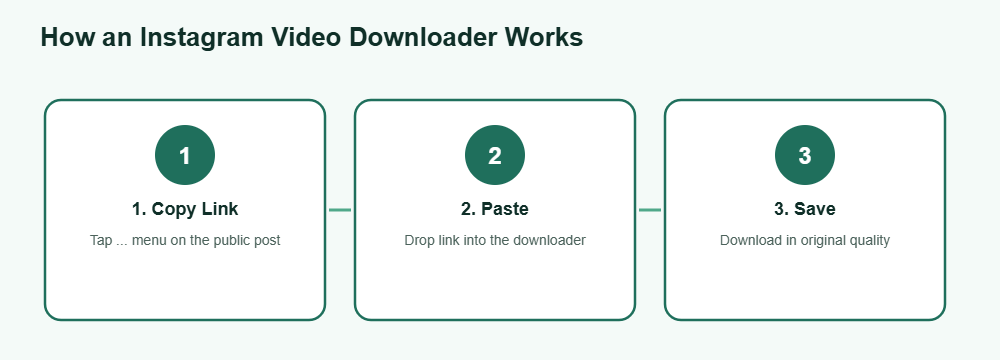
How to download a video
Copy the post link
Open the public post, reel, or video in the Instagram app or website, tap the three-dot menu, and choose “Copy Link.”
Paste it into the downloader
Drop the link into an instagram video downloader tool and let it fetch the video — this usually takes a couple of seconds.
Save the file
Tap download or save to store the video to your camera roll or downloads folder in its original resolution, with no watermark added.
That’s the entire process for a working instagram video downloader — no browser extension, no account link-up, and nothing installed beyond what the tool needs to run in a normal browser tab. The whole flow typically finishes in under ten seconds on a normal connection, and works the same way whether you’re on a phone browser or a desktop one.
What works vs. what doesn’t
Not every video on Instagram can legally or technically be pulled by an instagram video downloader — here’s the honest breakdown of what’s fair game and what isn’t. Compare all story download methods in one place.
Works
- Public feed posts, reels, and IGTV videos
- Videos on public business or creator accounts
- Multi-video carousel posts, one clip at a time
Doesn’t work
- Videos on private accounts you don’t follow
- Stories once they’ve expired after 24 hours
- Live videos while still broadcasting
Downloading is also a copyright question, not just a technical one — saving a public video for personal viewing is generally fine, but reposting someone else’s content as your own is a separate issue worth thinking through before you share it further. When in doubt, crediting the original creator or asking permission before reposting is the safer path, and most creators are happy to be tagged rather than uncredited. A quick direct message asking to share their clip usually gets a fast, friendly reply, and it keeps everything on good terms. To keep highlights permanently, try a highlights downloader. Only save content you own or have permission to reuse, as explained by the U.S. Copyright Office.
Frequently Asked Questions
Is using an instagram video downloader legal?
Saving a public video for personal use is generally fine, but reposting or monetizing someone else’s content without permission can raise copyright issues separate from the download itself.
Do I need to log in to use an instagram video downloader?
No. A legitimate downloader only needs the public post link — it never asks for your Instagram username or password.
Does the downloaded video keep its original quality?
Yes, a proper instagram video downloader pulls the same file Instagram serves in the browser, so resolution and quality match what you’d see on the app.
Can I download videos from a private account?
No. If you can’t view the video without logging in and following the account, no downloader tool can pull it either — the content simply isn’t public.
Does the poster get notified when I download their video?
No. Downloading a public video doesn’t trigger any notification to the original poster, the same way viewing or screenshotting a public post doesn’t.
Want to save a video right now?